

Glossary: Photography
Rim light
Light that creates a visible highlight along a subject's edge to describe shape or improve separation.
Definition
Rim light creates a highlight along part of a subject's outline, usually from a source placed behind and to one side. It can separate the subject from the background, reveal contours or emphasise material, but its effect depends on the viewing angle and surface.
How rim light works
A rim appears when light reaches surfaces near the subject's visible boundary and returns toward the camera. The source is commonly behind the subject, offset to one side and aimed back toward the outline. As the subject curves away from the camera, a narrow area catches the light. Hair, skin, fabric, glass and polished metal each produce different edge characteristics under the same arrangement.
Position determines whether the result is a narrow contour, a broad side highlight or direct illumination across the face. Moving the source slightly can change the visible edge substantially. Subject movement matters too: a small turn may expose a cheek to the source or hide the highlight behind the head. Test the poses and movement expected in the final photographs rather than evaluating only one static position.
Rim light is a functional description, not a particular fixture. A strip modifier, small lamp, window or low sun can all create an edge. A hair light may overlap with this role but often targets the top of the head more specifically. Backlight is the broader category of light coming from behind, while a rim describes the visible contour effect in the recorded image.
Why edge separation matters
Separation becomes useful when a subject and background have similar brightness or colour. Dark hair against a dark wall can lose its outline, while a black product may merge into its setting. A restrained edge highlight can restore the boundary without making the background brighter. This gives the photographer another way to clarify the subject while preserving an intentionally subdued environment.
A rim can also describe construction and material. Translucent fibres may glow, textured clothing may gain definition and a curved bottle may reveal its profile through a controlled reflection. These are not interchangeable effects. An attractive highlight on a glossy surface may be too harsh on skin, and fine hair can overexpose before a dark jacket receives enough illumination. Evaluate the relevant materials separately.
An obvious halo is not always appropriate. In a natural-looking headshot, a strong outline may make the subject appear cut out or inconsistent with the room. Sometimes increasing background separation, changing its tone or adjusting the camera angle solves the problem more convincingly. Add rim light because it serves the image, not because a standard multi-light diagram includes one.
Controlling edge width, brightness and flare
Start with position and aim before adjusting power. The angle between source, surface and camera determines which areas reflect light into the lens. Source size and shape influence the reflection and the transition around the edge. A narrow strip softbox can create an elongated highlight, while a smaller source may produce a crisp, concentrated accent. Inspect the actual contour rather than assuming either is universally better.
Control spill with a grid, flag or suitable barn doors where the fixture supports them. Keep the source from shining directly into the lens unless flare is deliberate. A lens hood may help, but it cannot block every off-axis beam in every arrangement. Use a flag only when it can be safely supported and kept outside the required frame, including any planned crop changes.
Watch highlight clipping on pale hair, ears, shoulders and reflective seams. A bright edge can lose detail while the main facial exposure remains correct. Review the histogram and image preview, and inspect individual colour channels when coloured lighting is involved. Balance the rim with the key light rather than using a fixed power difference that ignores distance, modifiers and the subject's reflectivity.
A practical UAE product example
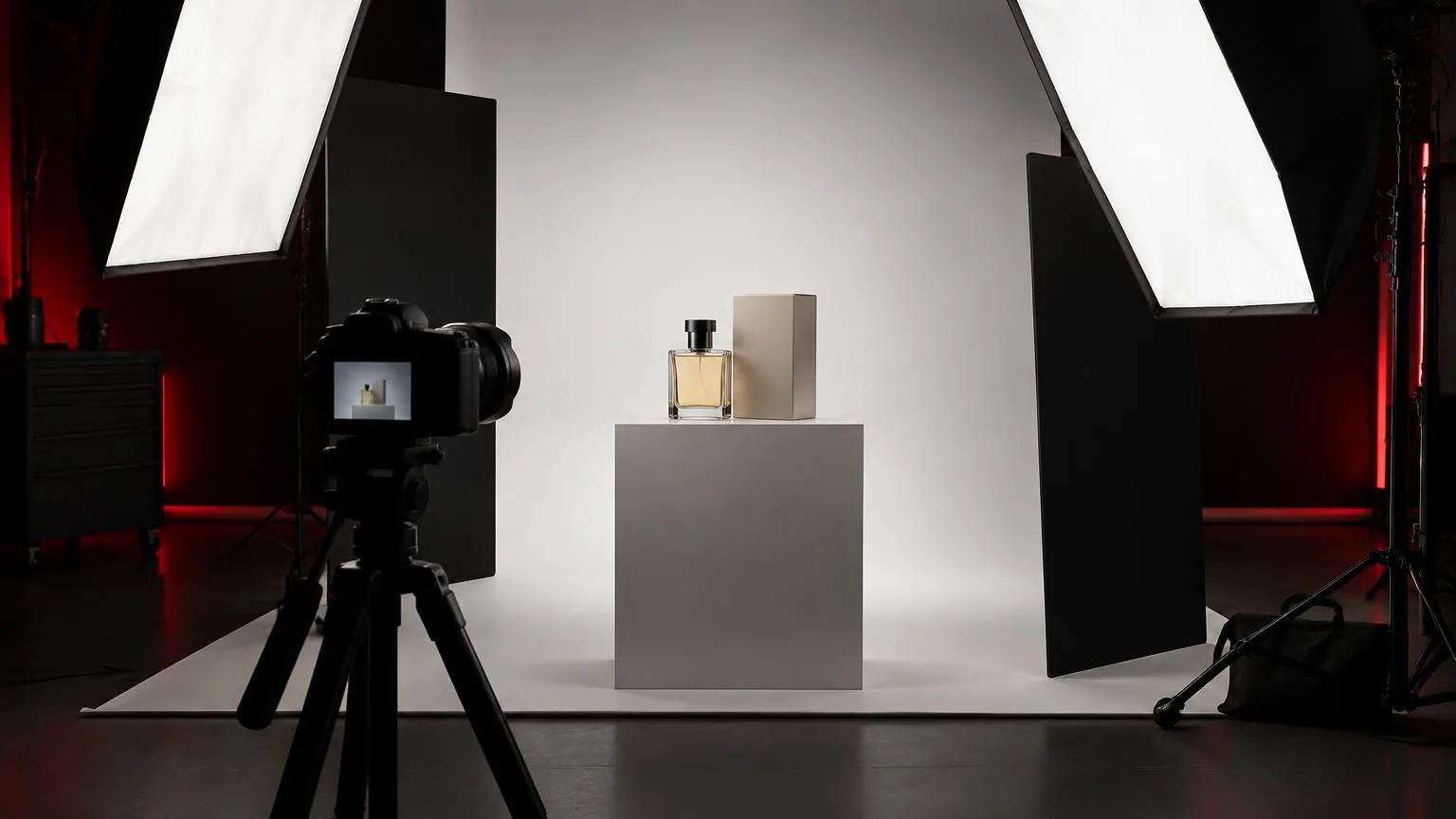
A photographer in Dubai is making an image of a dark reusable bottle against a charcoal background. Frontal illumination makes the label readable, but the bottle's sides disappear into the setting. Instead of brightening the entire background, the photographer tests a narrow source behind one side. The goal is a controlled line that explains the profile while leaving the main surface and label natural.
- Establish the main product exposure first and identify exactly where the outline becomes unclear.
- Place the edge source behind the bottle and move it gradually until the desired contour appears.
- Adjust the source's visible reflection so it does not cross the label or disguise the finish.
- Flag direct spill from the camera and compare frames for veiling flare or loss of contrast.
- Review the bottle at catalogue size to ensure the edge reads clearly without becoming an overpowering stripe.
If the bottle rotates for additional views, the reflection must be checked again because its relationship to the camera changes. A matching second edge may be useful, but symmetry should not be automatic. One controlled highlight may explain the form better than two competing bright strips. Record the approved positions and review all views together for a consistent material appearance.
Common mistakes and troubleshooting
Too much output is a common problem. An overexposed rim can dominate attention, exaggerate stray hairs and create a hard white boundary that looks unnatural. Lower the output or reposition the source before trying to suppress it in editing. If only one material clips, changing angle or adding local control may work better than reducing the entire source and losing useful separation elsewhere.
Another mistake is confusing flare with desirable softness. Direct light entering the lens can wash out blacks and lower contrast across the whole frame. Compare a test with the source temporarily blocked from the lens to diagnose the issue. Also inspect ears, the side of the nose and clothing folds for unintended highlights that reveal the source has moved too far forward.
Keep a clear purpose for every additional light. In product photography, the edge should explain the object's form without misrepresenting its material. In portraits, check how it behaves across the subject's natural movements. Secure rear stands and cables, which can be easy to overlook from the camera position. A restrained, stable contour is usually more useful than a dramatic effect that fails whenever the subject shifts.
Frequently asked questions
Is rim light the same as backlight?
Rim light is a particular visible edge effect. Backlight more broadly describes illumination coming from behind, which may or may not create a clear rim.
Does every portrait need rim light?
No. Background contrast, subject position and existing light may already provide enough separation. An unnecessary rim can make a natural portrait look artificial.
Why does the rim cover the cheek?
The source may be too far forward or the subject may have turned toward it. Adjust the angle and test the expected range of poses.
Can sunlight create rim lighting?
Yes. Sunlight behind the subject can illuminate hair or edges. Control facial exposure and watch for flare, squinting and rapidly changing conditions.
Should the rim be brighter than the key?
There is no universal requirement. Choose a recorded edge brightness that provides useful separation without clipping important detail or overpowering the subject.
Book a photo production
Studio and on-location photography for portraits, products, corporate teams and events.
Photo production