

Glossary: Photography
Product photography
Photography that presents a product's appearance, details and use for commercial or informational purposes.
Definition
Product photography creates images that communicate what an item looks like, how it is constructed or how it is used. It combines deliberate lighting, composition and colour control to make the product clear and appropriate for its intended sales or information channel.
How product photography works
A product photograph starts with a communication task rather than a camera setting. A catalogue image might need to show exact proportions against a plain background, while a campaign image might demonstrate scale, texture or use. Establish the required views, image shape, background treatment and destination before arranging the set. These choices determine how much space, lighting control and capture consistency the session needs.
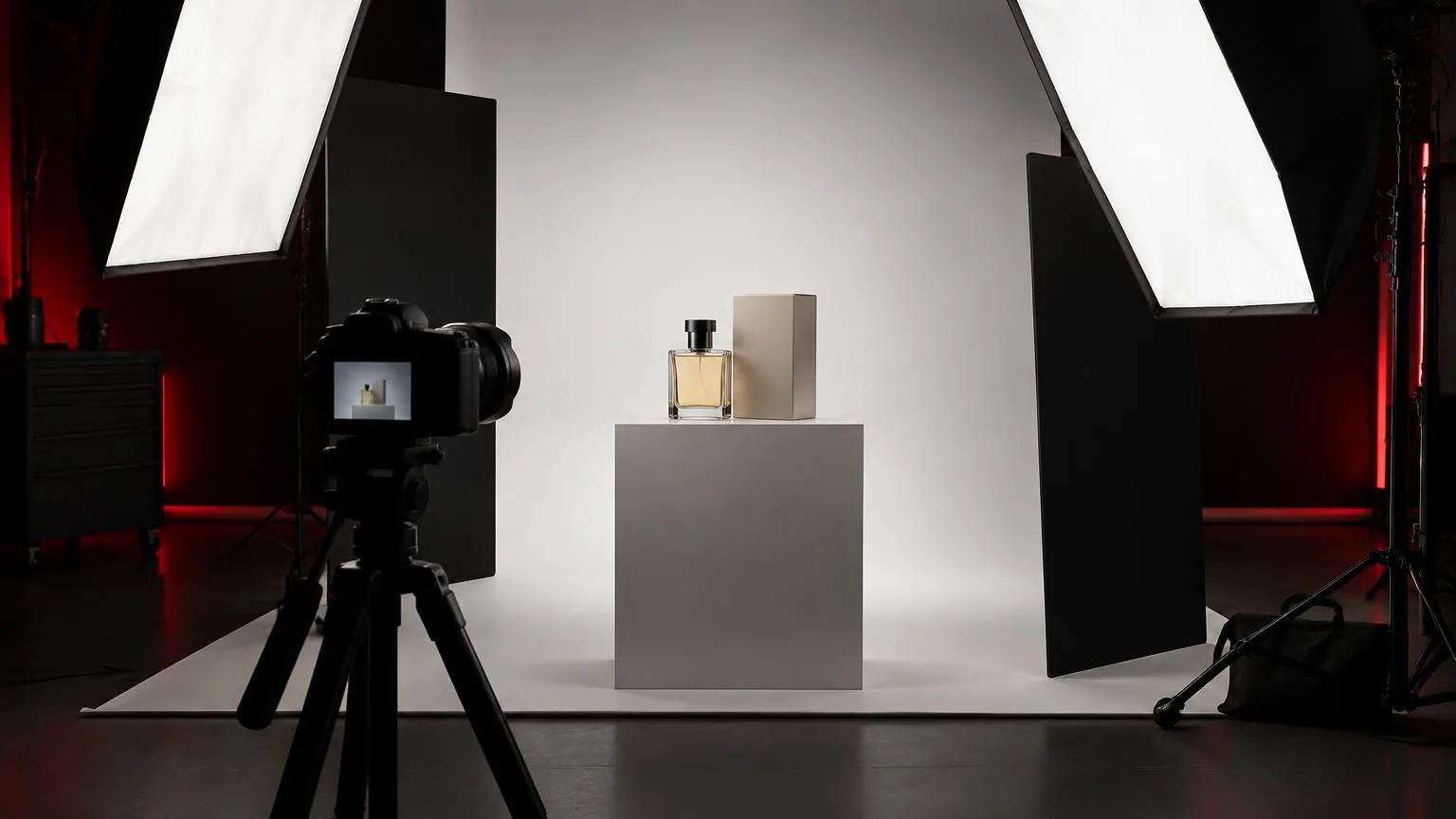
The camera records both the product and the light reflected by its surfaces. Matte packaging, polished metal, clear glass and textured fabric respond differently to the same setup. A broad source can create a smooth reflection on a bottle, while a smaller source may reveal texture through stronger local shadows. Moving the light, camera or product changes those relationships, sometimes more effectively than changing exposure.
Build one representative image before photographing the full range. Confirm focus, perspective, colour, label readability and crop with the person approving the work. Mark the product position and record camera height, lens choice and lighting positions. A repeatable baseline makes a collection feel coherent and helps distinguish intentional exceptions from accidental differences between items.
Why accuracy and consistency matter
Product images often stand in for a physical inspection. Buyers may use them to judge material, finish, controls, proportions and included components. Attractive lighting should support that assessment rather than conceal important features. A dark label, distorted shape or misleading colour can make an otherwise polished image less useful. Decide which characteristics must remain truthful before choosing a dramatic visual treatment.
Consistency is particularly important when images appear beside one another. Similar camera angles, apparent product sizes and shadow directions help viewers compare items without distraction. This does not mean every object needs identical lighting. A reflective lid may require a separate adjustment, but the resulting photograph should still belong to the same visual system. Reference frames make those judgments easier during production.
Colour management begins during capture. Use controlled illumination, a suitable reference target and a deliberate white balance workflow, then review on a reasonably calibrated display. Mixed daylight and room lighting can create colour differences across a single object that a global adjustment cannot fully remove. If accurate colour is critical, agree how the physical product and final files will be compared.
Lighting materials and preserving detail
For glossy products, think about what the surface reflects. A softbox may appear as a bright rectangular shape, while black cards can define edges through dark reflections. Clear objects often need separation from the background rather than more frontal light. Test the outline and internal reflections before increasing power, because additional illumination can reduce clarity instead of improving it.
Depth also matters. A close camera position can leave the front label sharp while the rear edge falls outside the acceptable focus range. Adjust the camera angle, focus position and depth of field before assuming that every surface needs to be equally sharp. For static subjects requiring extensive detail, focus stacking can help, provided the object, lighting and camera remain stable throughout capture.
- Clean the item before shooting, including fingerprints, dust, loose fibres and adhesive residue that become obvious under controlled light.
- Inspect labels, seams and closures at a useful magnification, not only in the camera's small preview.
- Use flags or cards to shape reflections while keeping supports outside the required frame and crop allowance.
- Photograph a colour reference and an approved baseline whenever a meaningful lighting or camera change occurs.
A practical UAE product session
A retailer in Dubai needs photographs of a small skincare range for product pages and social layouts. The brief separates clean individual pack shots from a styled group image. Before capture, the photographer checks the required aspect ratios, whether backgrounds must be transparent or white, and which labels must remain readable. The retailer supplies representative packaging and identifies any variations that should not be confused.
- Prepare and inspect each item, then create a shot list matching product names and file identifiers.
- Light one bottle and one carton first, checking reflections, label detail and the relationship between their sizes.
- Approve a test image at the intended display crop before photographing the remaining range.
- Record matching views with consistent camera position, product alignment and background tone.
- Review the complete contact sheet for omissions and inconsistent shadows before dismantling the set.
The styled image can then use a separate arrangement without compromising the catalogue baseline. Props should explain the product context without implying that unrelated accessories are included. Delivery notes identify the approved selects, crop variants and any compositing. The team also confirms image permissions and intended publication channels, rather than assuming that a successful shoot automatically settles every future use.
Common mistakes and delivery checks
A frequent mistake is treating editing as a substitute for preparation. Removing dust from dozens of frames or rebuilding inconsistent shadows can take longer than cleaning the product and stabilising the setup. Another is photographing too tightly. An attractive full-frame composition may become unusable when a marketplace or designer needs a different crop, a surrounding margin or room for accompanying text.
Excessive retouching can remove the very information the image should communicate. Preserve genuine texture, construction and colour unless a clearly agreed treatment requires otherwise. Check that edits have not altered labels, removed functional parts or made different materials appear identical. Compare the final image against the reference product and approved test, especially after background extraction or compositing.
Before delivery, verify file names, pixel dimensions, colour space, background requirements and the complete view list. Review small previews as well as full-size files, since a product may be technically sharp but unclear at catalogue scale. Keep capture originals and an editable master according to the agreed archive plan. A clean delivery structure helps the recipient publish the correct variant without unnecessary clarification.
Frequently asked questions
Does product photography always need a white background?
No. White backgrounds support consistent catalogues, while contextual or coloured settings can suit campaigns. Follow the destination's requirements and the communication brief.
Is a macro lens necessary?
Not always. It becomes useful when small details require close focusing, but working distance, perspective and the required framing also matter.
Should every part of the product be sharp?
Only when the image needs that information. Catalogue views often need extensive detail, while an editorial close-up may deliberately isolate one feature.
Can window light work for product images?
Yes, but changing brightness and colour can make a large batch inconsistent. Diffusion, reflectors and careful monitoring help maintain a repeatable result.
What should a product photography brief include?
Specify the items, views, intended channels, background, crop formats, colour expectations, retouching scope, approval process and delivery requirements before capture.
Book a photo production
Studio and on-location photography for portraits, products, corporate teams and events.
Photo production