

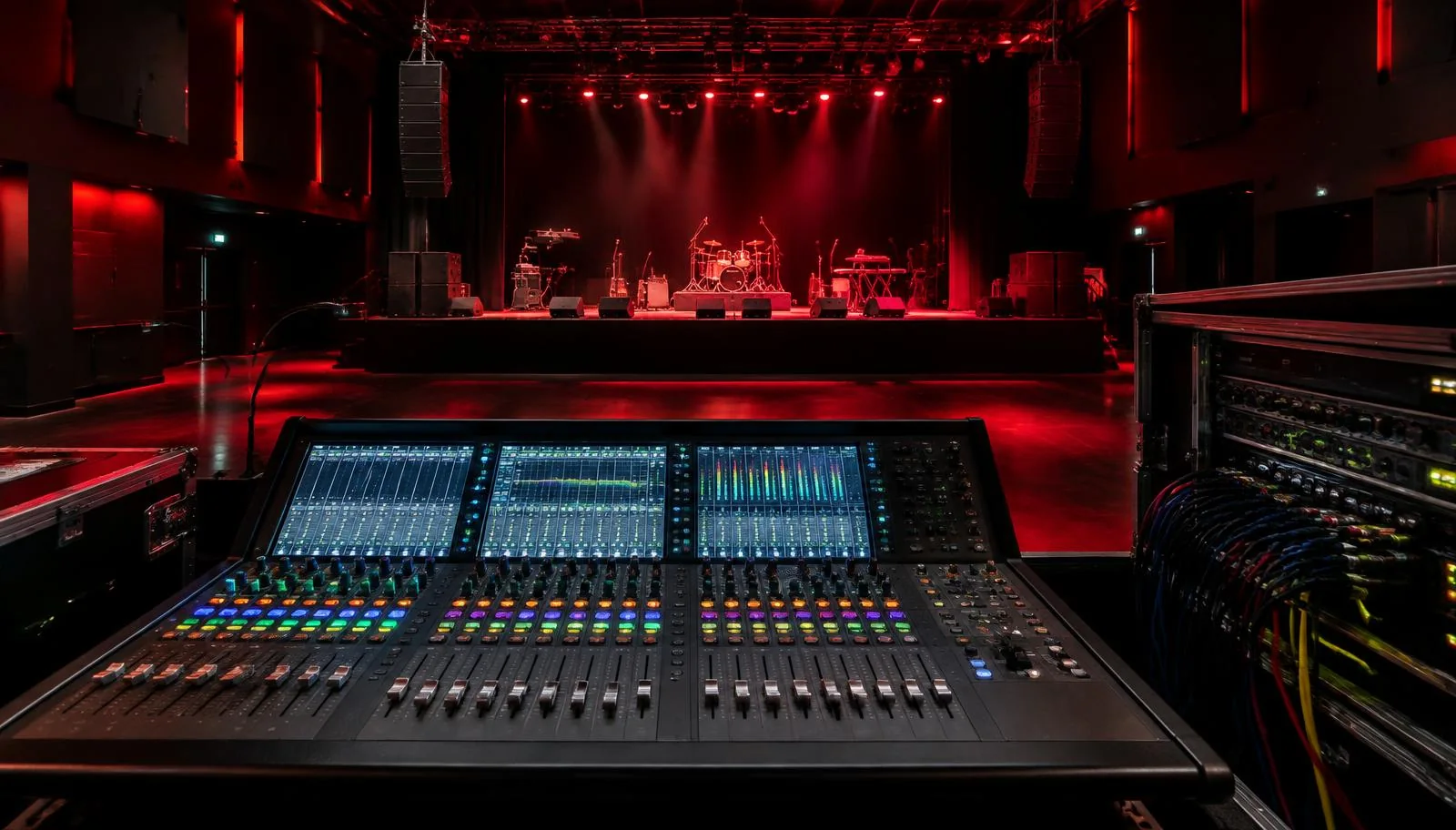
Glossary: Live sound
Mixing console (mixing desk)
The control centre that combines audio sources and routes them to audience, stage and recording outputs.
Definition
A mixing console, also called a mixing desk, combines multiple audio sources and controls how they reach different outputs. It provides input adjustment, routing and mixing functions, often with equalization and dynamics processing for individual channels and shared buses.
How it works
Each source enters through a physical input or a digital connection and is assigned to an input channel. The engineer adjusts its operating level, applies suitable processing and sends it to one or more buses. A bus combines contributions from several channels, creating a main audience mix, a monitor mix, an effects feed or another destination.
The visible surface is only part of the system. On a digital desk, a bank of faders may control different channel layers, while remote stage boxes handle the physical microphone connections. On an analogue desk, the channel strip more often presents dedicated controls in a fixed arrangement. Either format still requires clear labels and a reliable understanding of signal flow.
Why it matters
A console lets many sources become a coherent performance rather than a collection of independently amplified sounds. The engineer balances speech intelligibility, musical relationships and changes between cues. Separate outputs can support performers and recordings without forcing every listener to receive the same blend. These routing choices are as important as the number of input sockets.
The desk also concentrates risk. A mistaken layer selection, recalled scene or shared preamp adjustment can affect several destinations immediately. Preparing a sensible layout and checking the consequences of each control helps make operation dependable. More processing is not automatically better; accessible controls and clearly planned buses often matter more than unused features.
Main controls
| Area | What it does | Question to ask |
|---|---|---|
| Preamp and trim | Establish input operating level | Is the source clean before processing? |
| Channel strip | Shapes and controls one source | Which processing is actually necessary? |
| Bus section | Builds shared mixes | Who needs this combination of sources? |
| Output section | Routes mixes to physical destinations | Is the correct feed reaching each device? |
A DCA or VCA-style control group is not the same thing as an audio subgroup. It controls the levels of assigned channels without necessarily summing their audio through a shared processing path. A subgroup actually carries audio and may host common processing. Their effects on auxiliary sends depend on the console design and routing, so verify behavior before relying on either.
- Input count includes the sources you can process, while bus count limits how many independent mixes you can construct.
- Stereo sources may consume two input paths even when presented as one strip on the surface.
- Local sockets, network channels and simultaneous processing capacity are separate specifications; compare all three when planning a show.
Practical example
For a small indoor performance in Abu Dhabi, the engineer prepares channels for vocals, instruments and playback, plus separate stage monitor mixes. The physical inputs are labelled at the stage box and matched to named channels. Playback is checked in stereo, while spoken announcements are made easy to reach without searching through several fader layers.
During rehearsal, the band needs more vocal in one monitor but not in the audience speakers. The engineer selects the relevant auxiliary mix, confirms the active mode and changes that send only. After returning to the main layer, the audience balance is unchanged. A planned stage plot and technical rider makes these requirements visible before equipment is allocated.
Preparing the desk
- List all input sources and output destinations, including playback, recording, communications and spare requirements. Count independent monitor mixes before choosing the desk.
- Build a readable channel layout with names and sensible groups. Put critical announcements and frequently adjusted sources where the operator can reach them confidently.
- Confirm input patching, phantom power needs and initial processing with outputs controlled. Avoid applying power indiscriminately to unknown connected equipment.
- Configure buses and output patches, then test each destination independently. Label monitor outputs by performer or stage position rather than relying only on numbers.
- Save a verified starting configuration where supported, and define which settings scene changes may recall. Protect shared or critical parameters when the console offers appropriate recall controls.
A saved file is useful only when it matches the actual hardware and current patch. Check compatibility before loading someone else's show, and keep a known working configuration available. BarCoe Studios runs short hands-on live sound certificate courses for audio engineers, offering a practical context for learning desk operation through its live sound workshop.
Common mistakes
- Buying or specifying solely by fader count. A compact surface can access many channels, while sufficient buses and outputs may be the real requirement.
- Equalizing before solving microphone placement or input distortion. Console processing cannot replace a usable source signal.
- Moving a fader without checking the selected layer or sends-on-fader mode. Read the screen and labels before making a large change.
- Recalling a scene without knowing its scope. Input gain, routing, mutes and output levels may change along with the intended artistic settings.
Another common error is assuming every reset is harmless. Loading a default configuration can remove output assignments or processing that protects a specific workflow. Establish who is responsible for the desk, document the essential routing and make deliberate changes rather than improvising a complete rebuild during an event.
Frequently asked questions
Is a digital mixer always better than an analogue desk?
Neither format is automatically better for every job. Choose according to routing needs, workflow, operator familiarity and the available connections.
What does a channel strip contain?
It represents the controls associated with one input or return, typically including level, equalization and routing. Exact processing and control order vary between consoles.
Can one console handle audience and monitor mixes?
Yes, if it has enough suitable buses and outputs. The operator must understand shared input gain and keep each mix destination clearly identified.
What is sends-on-fader mode?
It lets channel faders adjust contributions to a selected bus instead of the main mix. Confirm which bus is selected before making changes.
Do scenes save every setting?
Not always, because storage and recall scope depend on the desk and configuration. Check the manual and test critical settings before using scene changes in performance.
Learn live sound hands-on
Put these terms into practice on a real stage in Abu Dhabi, in short certificate courses for audio engineers and for artists.
Live sound course for engineers